
In my previous blog I discussed the architecture of Microsoft 365 Copilot and as promised it’s time that we talk about the security, Privacy and compliance too. As Copilot continues to evolve, it brings with it a multitude of moving parts, each contributing to its robust functionality. From security protocols to compliance measures and regulatory considerations, there’s much to explore. In today’s landscape, where companies prioritize a security-first mindset, these questions become even more pertinent. So, fasten your seatbelt as we navigate through the intricacies of Copilot’s Data, Privacy, and Security!
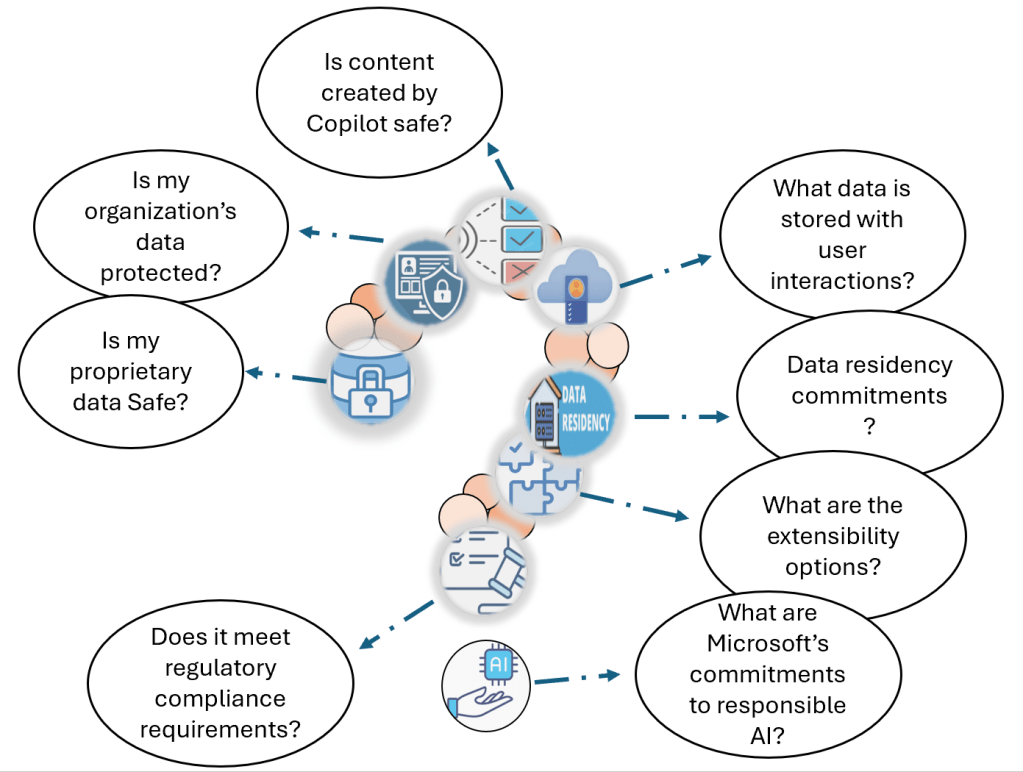
Is my organization’s proprietary data safe? how does Copilot work with my Organization’s Data?
- Copilot for Microsoft 365 connects to your organizational data via Microsoft Graph.
- Combines content (documents, emails, chats) with your context (meetings, past exchanges). Generates accurate, relevant responses.
- Shows data users have at least view permissions for. Copilot uses the same data access controls that other M365 services do.
- Utilizes Microsoft 365’s permission models (e.g., SharePoint). so, be mindful of permissions granted to external users for inter-tenant collaboration.

- Queries a private instance of LLM hosted on Azure Open AI and no calls are made to public instance of Open AI.
- Doesn’t cache your content or Copilot modified prompts.
- Doesn’t use your data to train LLM.
- Inherits the tenant’s security, compliance and privacy policies.
- Chat data stays within your Office 365 tenant boundaries.
- Real-time abuse monitoring without accessing customer data. Azure Open AI has human moderation as an option which Copilot for Microsoft 365 has opted out.
Is my organization’s data protected?
- Semantic Index honors the user identity-based access boundary so that the grounding process only accesses content that the current user is authorized to access.
- When you have data that’s encrypted by Microsoft Purview Information Protection, Microsoft Copilot for Microsoft 365 honors the usage rights granted to the user.
- Microsoft employs various protective measures to safeguard Microsoft 365 services and prevent unauthorized access.
- Each tenant’s content is isolated within Microsoft 365 services using Microsoft Entra authorization and role-based access control.
- Rigorous physical security measures and background screening protect customer content.
- Microsoft 365 encrypts content at rest and in transit using technologies like BitLocker, per-file encryption, TLS, and IPsec.
- Content accessed via Copilot plug-ins can be encrypted to limit programmatic access.
Does Copilot for Microsoft 365 meet regulatory compliance requirements?
- Copilot for Microsoft 365 is built on existing data security and privacy commitments and adheres to the same
- Microsoft prioritizes communication with customers, partners, and regulatory authorities. As regulation in the AI space evolves, Microsoft will continue to adapt and respond to fulfil future regulatory requirements.
- Privacy, security, and transparency are essential in the AI landscape.
Microsoft ensures Copilot for Microsoft 365 complies with the following key regulatory mandates:
Data Privacy:
- Microsoft adheres to privacy laws and standards, such as ISO/IEC 27018, to protect customer data.
- Rigorous security measures, background screening, and encryption safeguard data integrity.
Transparency:
- Detailed documentation on GitHub explains Copilot’s design, capabilities, and limitations.
- Extensibility options, like Microsoft Graph TypeScript GitHub connector, are provided.
- Users have control over accepting or rejecting Copilot suggestions.
Fairness:
- Copilot undergoes tests to prevent biases and unfair outputs.
- Ongoing monitoring ensures fairness.
- Users can reject biased suggestions and report them.
Accountability:
- Channels like GitHub discussions and support are available for feedback.
- Regular internal reviews ensure compliance.
- Microsoft takes responsibility for copyright risks.
What data is stored with user interactions?
Data Storage and Interaction History:
- When users interact with Microsoft Copilot for Microsoft 365 (using apps like Word, PowerPoint, Excel, OneNote, Loop, or Whiteboard), data is stored.
- This stored data includes the user’s prompt and Copilot’s response, along with any citations used to ground Copilot’s response.
- The entire interaction history is referred to as the “content of interactions.”
Data Processing and Encryption:
- The stored data is processed and stored in alignment with contractual commitments related to other content in Microsoft 365.
- The data is encrypted while stored.
- It is not used to train foundation LLMs (including those used by Microsoft Copilot for Microsoft 365).
Viewing and Managing Data:
- Admins can use tools like Content search or Microsoft Purview to view and manage this stored data.
- Microsoft Purview allows setting retention policies for chat interactions with Copilot.
- For Microsoft Teams chats with Copilot, admins can also use Microsoft Teams Export APIs to access the stored data.
Deleting History of user interactions:
- Your users can delete their Copilot interaction history, which includes their prompts and the responses Copilot returns, by going to the My Account portal.
- Microsoft 365 apps Excel, Forms, Loop, OneNote, Outlook, Planner, PowerPoint, Teams, Whiteboard, Word, Microsoft Copilot with graph grounded chat store Copilot interaction history.
- Choosing Copilot for Microsoft 365 deletes interaction history across all these apps; you can’t selectively delete from specific apps.
What are the data residency commitments?
- Copilot for Microsoft 365 adheres to data residency commitments outlined in Microsoft Product Terms and the Data Protection Addendum.
- It became part of covered workloads on March 1, 2024
- Microsoft’s (Advanced data residency)ADR and Multi-Geo Capabilities include data residency commitments for Copilot for Microsoft 365 customers.
- Microsoft Copilot for Microsoft 365 routes LLM calls to the nearest data canters in the region.
- During high utilization, it can also call into other regions with available capacity.
- EU customers benefit from an EU Data Boundary service.
- As worldwide traffic may be processed in the EU or other regions. EU traffic remains within the EU Data Boundary.
What are the extensibility options?
- Although Microsoft Copilot for Microsoft 365 can utilize apps and data within the Microsoft 365 ecosystem, many organizations still rely on external tools and services for work management and collaboration. When responding to user requests, Microsoft Copilot can reference third-party tools and services through Microsoft Graph connectors or plugins
Graph Connectors:
- Graph connector enable retrieval of data from external sources.
- Data can be included in Microsoft Copilot responses if the user has permission.
Plugins:
- When plugins are enabled, Microsoft Copilot for Microsoft 365 checks if it needs to use a specific plugin. If necessary, it generates a search query based on the user’s prompt, interaction history, and available data in Microsoft 365.
- Admins control which plugins are allowed in the organization.
Admin Control:
- In the Integrated apps section of the Microsoft 365 admin center admins view permissions, data access, terms of use, and privacy statements for plugins.
- Admins select allowed plugins.
- Users can only access approved plugins.
- Microsoft Copilot uses enabled plugins.
Is content created by Copilot safe?
- Responses generated by AI systems are not guaranteed to be 100% factual. Users should exercise judgment when reviewing AI-generated content
- Copilot provides useful drafts and summaries, allowing users to review and refine AI-generated output rather than fully automating tasks.
- Microsoft continuously enhances algorithms to address issues like misinformation, content blocking, data safety, and discrimination prevention.
- Microsoft does not claim ownership of AI-generated content. Determining copyright protection or enforceability is complex due to similar responses across different users.
- If a third party sues a commercial customer for copyright infringement related to Copilot output, Microsoft will defend the customer and cover adverse judgments or settlements if guardrails and content filters were used.
Harmful contents:
- Azure OpenAI Service uses content filtering alongside core models.
- It runs input prompts and responses through classification models to identify and block harmful content.
- The filtering models cover Hate & Fairness, Sexual, Violence, and Self-harm content.
Examples:
- Hate and fairness: Discriminatory language based on attributes like race, gender, and religion.
- Sexual content: Discussions about reproductive organs, relationships, and sexual acts.
- Violence: Language related to harmful actions and weapons.
- Self-harm: Deliberate actions to injure oneself.
Protected Material Detection:
- Copilot for Microsoft 365 provides detection for protected materials, which includes text subject to copyright and code subject to licensing restrictions.
Block prompt injections:
- Jailbreak attacks are user prompts that are designed to provoke the generative AI model into behaving in ways it was trained not to or breaking the rules it’s been told to follow.
- Microsoft Copilot for Microsoft 365 is designed to protect against prompt injection attacks.
What are Microsoft’s commitment for responsible AI?
- Microsoft’s commitment to responsible AI extends back to 2017.
- Microsoft has defined principles and an approach that prioritizes ethical use of AI, putting people first.
- They have multidisciplinary team that reviews AI systems for potential harms.
- Microsoft refines training data, apply content filters, and block sensitive topics.
- Technologies like InterpretML and Fairlearn help detect and correct data bias.
- Microsoft makes system decisions clear by noting limitations, linking to sources, and prompting user review. This transparency empowers users to fact-check and adjust content based on expertise.
- Microsoft assist customers in using AI responsibly, sharing learnings and building trust-based partnerships.
- Templates and guidance are provided to developers within organizations and independent software vendors (ISVs) to create effective, safe, and transparent AI solutions.
Microsoft Copilot is more than just an AI tool; it’s a partner in productivity. As you harness its capabilities, rest assured that your data remains secure, privacy is prioritized, and compliance requirements are met. Whether you’re drafting emails, creating documents, or collaborating in chats, Copilot stands by your side, ensuring reliable and responsible content creation. Embrace the future of productivity with confidence!
 Bite sized Microsoft 365
Leave a comment